









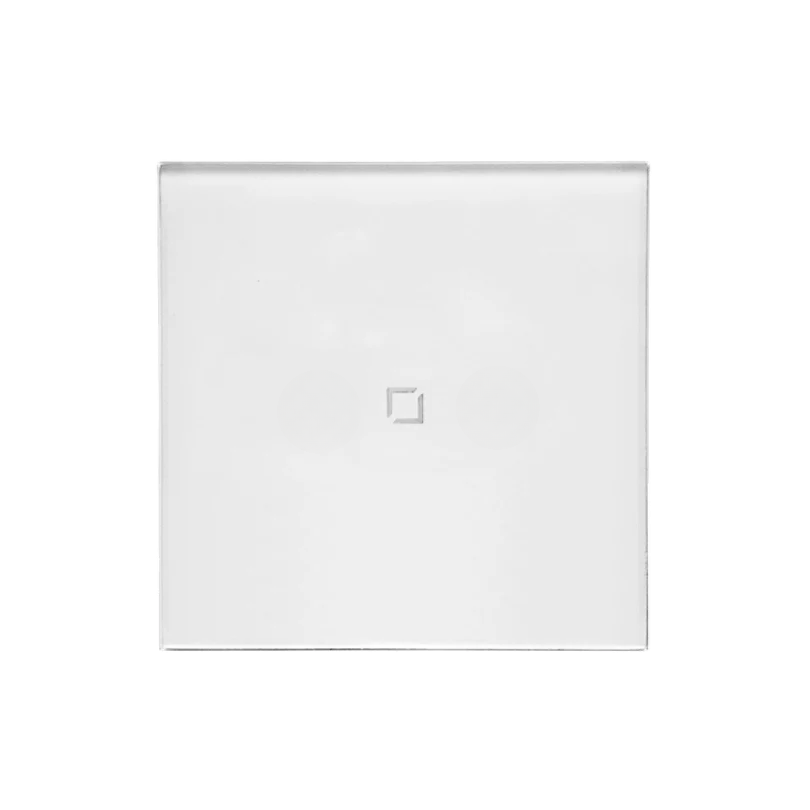


ANTIK Smart 1-channel touch switch (250W)
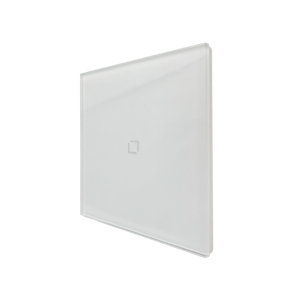
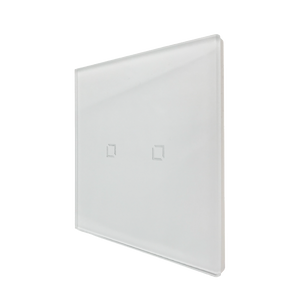

Product dimensions: 82 × 82 × 34.2 mm
Front panel material: Glass
Rated voltage: 100V~240V AC, 50/60Hz
Wireless connection type: Zigbee 3.0
Standards: IEEE 802.15.4 / IEC 60669-2-1
Consumption measurement: No
Rated power:
Incandescent lamps: up to 250 W / channel
Fluorescent lamps: up to 100 W / channel
LED lamps: up to 100 W / channel
Operating environment:
Temperature: -5°C to +50°C
Humidity: 5% to 95% RH (non-condensing)
ANTIK Smart 1-channel touch switch (250W) is a modern solution for intelligent lighting control in your home or office. It allows comfortable control of one lighting circuit — directly by touching the elegant glass panel or remotely via the ANTIK SmartHome® application. Thanks to the support of voice assistants Google Home and Amazon Alexa (via compatible Zigbee Hub), lighting can also be controlled by voice, which brings maximum convenience and flexibility.
The switch is designed for installation with a neutral wire (N) connection , which ensures stable operation and power up to 250W . This connection method guarantees reliability even in more demanding lighting installations. Sensitive touch control provides fast and accurate response, while the high-quality, scratch-resistant glass panel will elegantly complement any interior. Using the app, you can create schedules, automations and personalized scenes, increasing comfort, energy efficiency and aesthetics of the space.
ANTIK Smart 1-channel touch switch ATK-STS03Z: Instructions in .PDF can be downloaded HERE.


Elegant glass touch switch
The ANTIK Smart 1-channel touch switch combines modern design with practical functions for intelligent lighting control. Its high-quality workmanship and intuitive operation guarantee long-term satisfaction in everyday use.
- Premium material: tempered glass front panel, scratch-resistant and easy to maintain.
- Elegant backlight: discreet LED backlight makes it easy to find and use the switch even in the dark.
- Quick response: sensitive touch control responds immediately, ensuring natural and comfortable control of the lights.
- Universal design: modern look suitable for any interior — from apartments to commercial spaces.
- 250W power: provides high capacity for reliable control of one lighting circuit in a home or commercial space.

Intelligent control via app and voice assistants
The switch supports Zigbee 3.0 , making it easy to integrate into your existing smart home system . Once connected to a central control unit, you can conveniently control your lighting via a mobile app — wherever you are.
Control your lights remotely, set schedules , or create automation scenes to suit your lifestyle. The switch can also be integrated with voice assistants (like Google Assistant or Amazon Alexa), so you can turn your lights on or off with just a voice command .

Automated lighting for greater efficiency and comfort
With the timer function and connection to smart sensors, you can set the lighting to activate only when it is really needed. The lights automatically turn on when motion is detected or at set times and turn off when you are not present, optimizing energy consumption and extending the life of the devices. Smart scenes allow for even more precise customization — for example, dimming the lights in the evening or turning on the night mode for minimal lighting.

Scene: Movie night
Turn your living room into a comfortable home cinema – exactly when you feel like it. After activating the scene, the main ceiling lights are automatically switched off and only soft, mood lighting remains, which does not disturb the picture on the TV, but adds a pleasant atmosphere to the room. You can control everything conveniently via the app, voice assistant or connected sensor – without any interruption.
For this scene you need:
– ANTIK Smart 1-channel touch switch
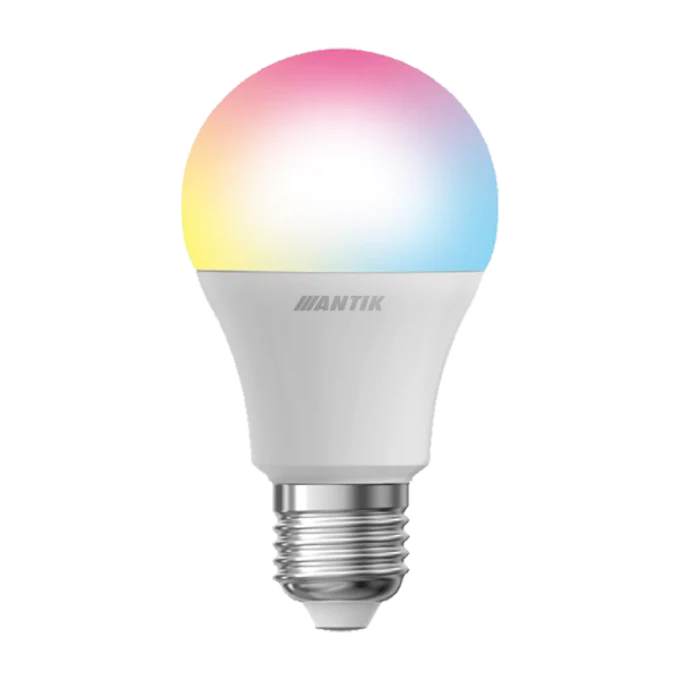
- ANTIK Smart bulb
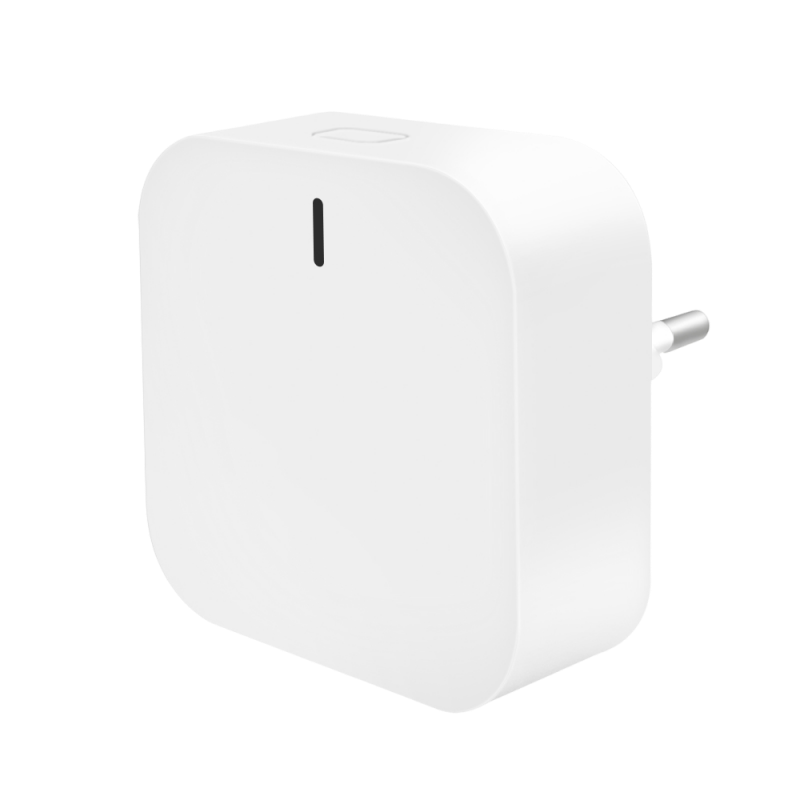
- ANTIK Smart gateway
– ANTIK SmartHome application
– (optional) Google Home or Amazon Alexa voice assistant
– (optional) Smart sensor or wall touch panel

Simple and reliable installation
This model is designed for stable and safe operation with a neutral conductor (N) connection. This allows it to handle higher power without any problems and provides long-term reliability even in more demanding lighting installations in homes or commercial spaces.
Installation is quick and intuitive — just connect the phase wire (L), neutral wire (N) and the output for the lighting circuit. Thanks to this solution, you will not only get the possibility of intelligent lighting control, but also the certainty that your switch will operate stably and with full load capacity. This connection method is especially popular with users who require higher durability, long service life and maximum reliability of their smart devices.

Package contents and technical information
Installation is simple and quick, but it is recommended that it be carried out by a qualified electrician.
Package contents:
1× ANTIK Smart 1-channel touch switch
1× User manual
Technical information:
– Warranty: 2 years
– Product dimensions: 82 × 82 × 34.2 mm
– Front panel material: Glass
– Use: The device is intended for indoor use only (IP20)
This switch allows you to control two lighting zones independently via a touch interface. With a gateway and an app, it allows for automation and remote control of lighting.

For more details, watch the accompanying video
Step into the world of Smart technologies with us, where we will introduce smart products from the areas of home, security, comfort, health, camera systems and many other areas. Choose from a variety of smart devices that will reliably secure your home, business, garage or cottage.


Download the ANTIK SmartHome® app
With the ANTIK SmartHome® app, you can conveniently control each lighting zone, create scenes, and set schedules to suit your lifestyle.
In the app you can:
- Individually control a circuit – turn one lighting device on and off as needed
- Set schedules and automations – scheduled turning on, off, or dimming of lighting
- Create and launch scenes – for example, “Evening relaxation”, “Work lighting”, “Night mode”
- Control lighting remotely – via mobile connection, from anywhere in the world
- Use voice control – integration with Google Home and Amazon Alexa allows you to control lighting with voice commands


Multi-column
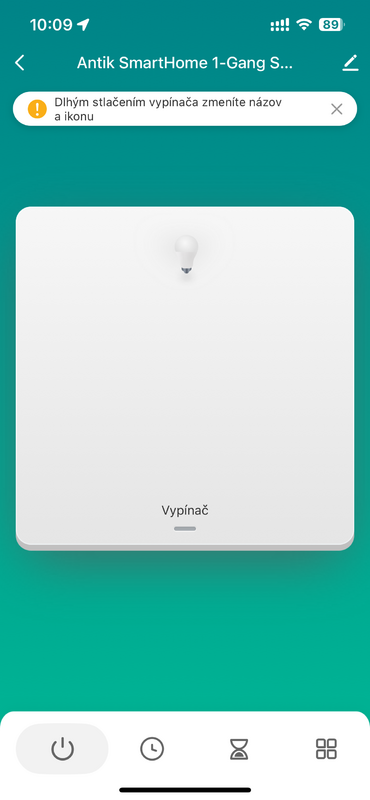
Main control
The main screen of the switch. It shows the current status of the light and offers quick access to control and additional functions.
- Clear display: the central area shows the switch and the current light status.
- Customization option: long press to change the name and icon of the switch.
- Quick control: the bottom bar offers instant access to turn the light on/off.
- Advanced features: the menu allows you to set schedules, countdowns and other modes.
This screen serves as the main control panel from which you always have control over the light.
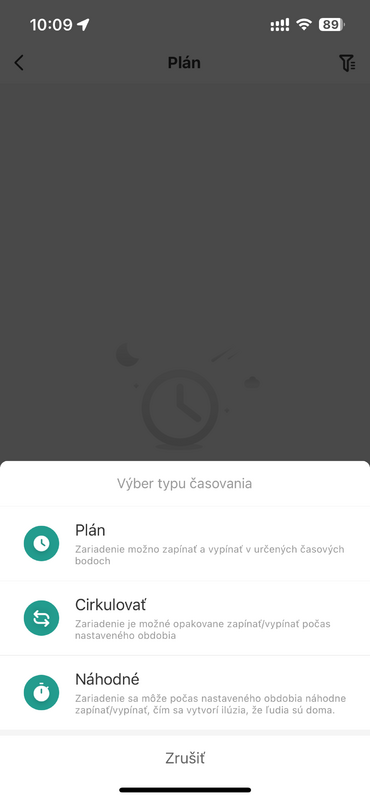
Time planning
The user can choose the power on and off mode of the device according to their needs.
- Schedule: the device turns on and off at precisely specified times.
- Cycle: allows repeated switching on and off for a set period.
- Random: the device turns on and off at random intervals, simulating the presence of people in the home.
This feature provides flexibility and security when automating lighting.
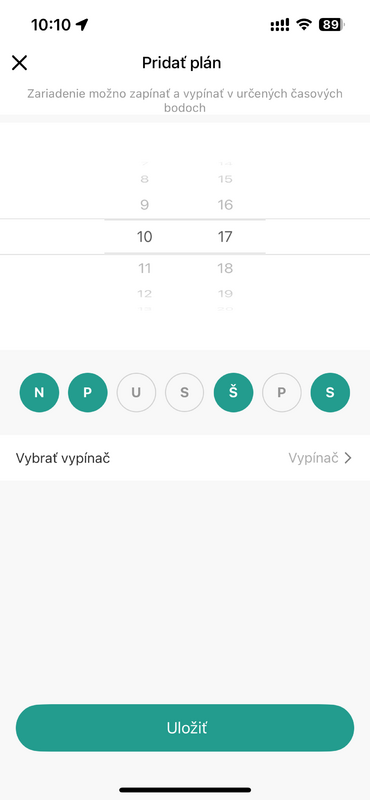
Add a plan
The user can define exactly when the device should turn on or off.
- Exact time: ability to set a specific on and off hour.
- Recurrence by days: the schedule can be activated for selected days of the week.
- Easy device selection: a specific switch can be assigned to a plan.
- Quick save: settings are confirmed with one click on the "Save" button.
This feature brings convenience and automation to everyday lighting use.
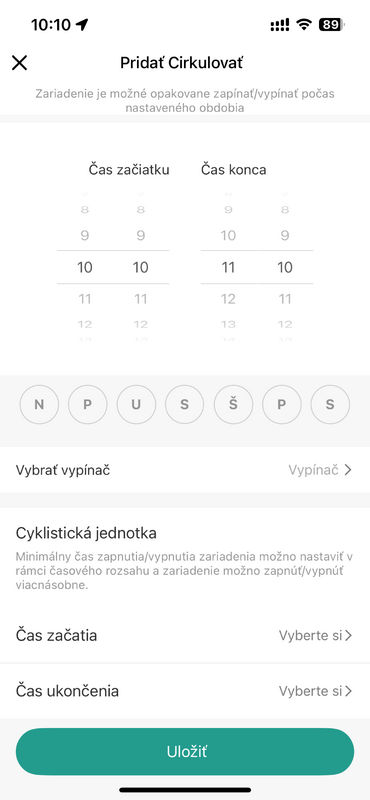
"Circulate" mode
Allows automatic repetition of switching on and off within a set time range.
- Start and end time = time window during which the device will cycle on and off.
- Cyclic units: ability to set the on/off interval within a given period.
- Repeat by days: select specific days of the week when the mode should be active.
- Easy to save: settings are confirmed with a single click on the "Save" button.
This feature is ideal for regularly repeating tasks such as lighting or other appliances in the home.
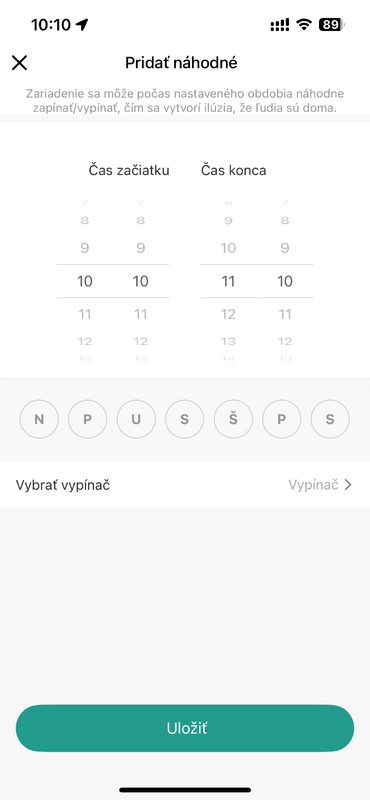
"Random" mode
Random timer setting. The device turns the light on and off at irregular intervals during a specified period.
- Start and end time: define the time window in which the function will be active.
- Random cycles: the light turns on and off irregularly, creating the illusion of presence.
- Day selection: specify specific days of the week when the timer should be active.
- Security: the function serves to deter thieves when you are not at home.
This feature brings greater security and peace of mind during vacation or extended absence.
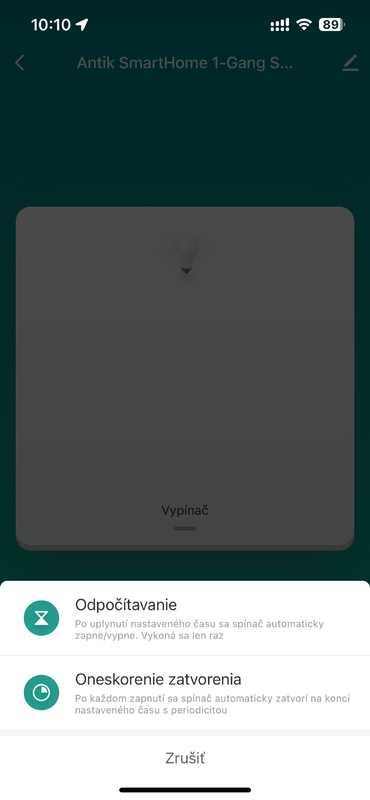
Countdown and delay
Timing menu. Allows you to set a one-time countdown or a repeated automatic shutdown after a specified time.
- Countdown: after the set time has elapsed, the switch will automatically turn on or off; the function will only be performed once.
- Automatic shut-off: after each switch-on, the switch turns itself off after the selected time; the function is repeated with each use.
- Flexible use: suitable for example for a bathroom light or fan that should be switched off after a certain time.
- Easy setup: everything is controlled directly from the ANTIK SmartHome® app.
This feature ensures that devices do not run longer than necessary, saving both energy and lifespan.
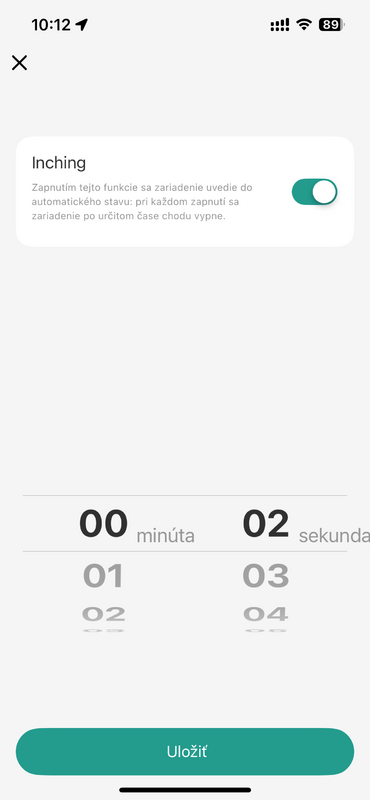
Countdown
Allows you to set the time after which the device will automatically turn off.
- Easy setup: the user chooses the exact interval in minutes and seconds.
- Automatic shutdown: after the selected time has elapsed, the device will turn off by itself without the need for intervention.
- Repeatable function: the timer starts every time the device is turned on.
- Practical use: suitable, for example, for hallway lighting or a fan that should only run for a certain time.
This function saves energy and increases comfort in everyday use.
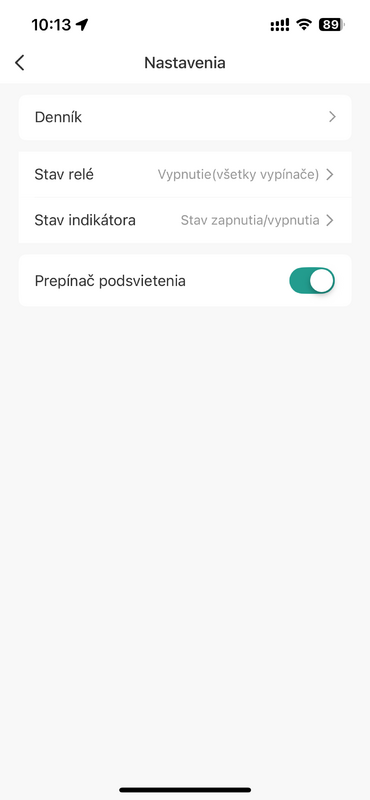
Settings
The screen offers options to customize the behavior of the switch.
- Log: view the history of events and switch actions.
- Relay status: option to set how the relay behaves when the device is turned on or off.
- Indicator status: configure the LED indicator according to the on/off status.
- Backlight switch: Turn the button backlight on or off as needed.
This section allows you to customize the switch operation exactly according to the user's preferences.
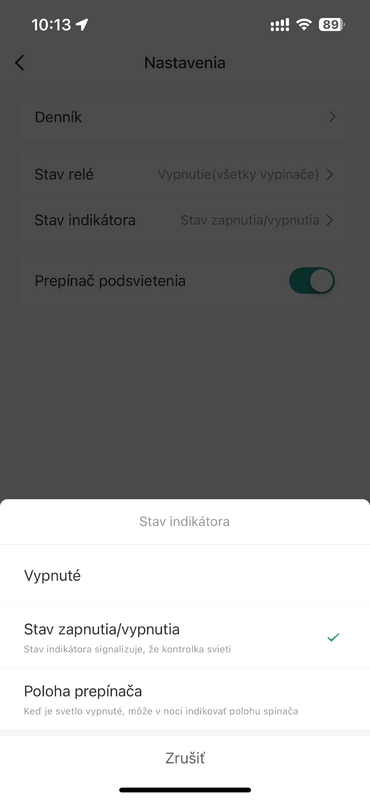
Indicator setting
Allows you to determine how the LED on the power switch behaves.
- Off: the indicator is still off, it does not signal any status.
- On/Off status : The indicator light indicates whether the light is on or off.
- Switch position: when the light is off, the indicator light is on and helps you find the switch position at night.
This feature increases clarity of use and makes it easier to navigate even in the dark.

Automation and smart scenes
Automation is one of the most powerful features of a smart home. It allows devices to respond automatically based on specific inputs – such as movement, temperature changes, time or manual instructions. Its greatest advantage is the ability to connect multiple devices and create intelligent links between them. Thanks to automation, separate devices become a connected ecosystem that works logically and increases the overall comfort, security and efficiency of the home.
1. Manual start
The scene is triggered by manually pressing a button in the app or on the physical switch.
2. When the weather changes
Automation is triggered when external conditions change (e.g. temperature, humidity, wind).
3. Timetable
The scene will start at a specific time or according to a set recurring schedule.
4. When the device status changes *important
Automation is triggered in response to a change in another device – a motion sensor, door, camera, or other device.
📌 Automation parameters for this product can be found in the table ↓
Automatizácia pre ANTIK Smart 1-kanálový dotykový vypínač
Automatizácia umožňuje zariadeniu reagovať na konkrétnu udalosť – či už ide o zmenu času, akciu iného zariadenia alebo nastavený odpočet.
Automatizáciu možno nastaviť pomocou nasledujúcich parametrov:
| Parameter | Hodnota | Čo robí | Príklad v scéne |
|---|---|---|---|
| Spínač | Zapnuté, Vypnuté | Zapína alebo vypína pripojené zariadenie. | Keď odídem z domu, potom vypnem spínač svetla. |
| Časovač 1 (Timer 1) | Nastavená hodnota v sekundách | Umožňuje nastaviť odpočet pre automatické vypnutie po uplynutí času. | Keď zapnem svetlo v špajzi, nastavím časovač na 30 sekúnd, aby sa automaticky vyplo. |
| Stav po reštarte (Restart Status) | Vypnuté, Zapnuté, Pamätať si posledný stav | Určuje, ako sa má zariadenie správať po výpadku a obnovení napájania. | Pre spínač svetla v garáži nastavím, aby sa po výpadku vrátilo do posledného stavu. |
| Stav indikátora (Indicator Status) | Vypnuté, Podľa stavu, Podľa polohy | Určuje, ako sa má správať LED indikátor na vypínači. | Ak je vypínač vypnutý, nastavím indikátor, aby svietil, aby som ho ľahšie našiel v tme. |
| Spínač podsvietenia (backlight switch) | Zapnuté, Vypnuté | Ovláda podsvietenie vypínača. | Počas noci vypnem podsvietenie, aby ma nerušilo |

Frequently Asked Questions: ANTIK Smart 1-channel touch switch (250W)
Is this switch also suitable for older electrical installations?
This model requires the connection of a neutral conductor (N) and is therefore not intended for older electrical installations, where the neutral conductor is often missing. We recommend using it only in modern installations with an available N conductor. For older electrical installations, we recommend the ANTIK Smart ATK-STS05Z model .
Does the switch work without the internet?
Yes, basic functions (manual touch control) always work. For remote control via the app and integration into scenes, an internet connection via a Zigbee Hub (Gateway) is required.
Can I create automatic scenes and schedules?
Yes, in the ANTIK SmartHome® application you can easily set schedules, automations and custom scenes according to your needs.
Do you have a question about a specific product, its features, technical parameters, or automation options in your home? We are here for you and will be happy to help you choose the right solution or explain the settings.
Write to us at predaj@antik.sk and our team of experts will respond to you as soon as possible. Your satisfaction and the proper functioning of your devices are our priority.