







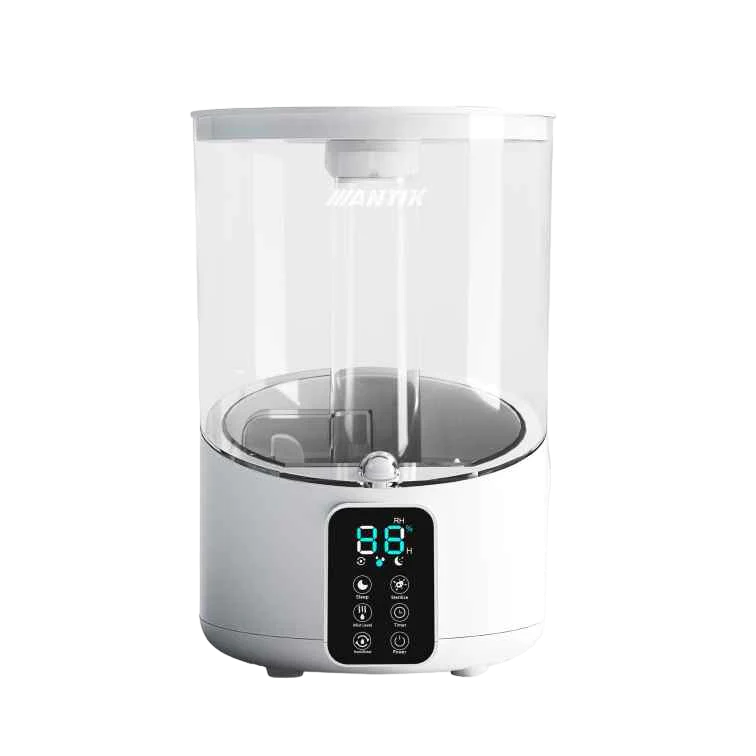
ANTIK Smart air humidifier ATK-USH01
- Communication: Wi-Fi
- Power supply: 220V
- Power: 25W
- Water tank capacity: 4 l
- Maximum evaporation capacity: 300 ml/h
- Program length: 14 h
- Width: 19.5 cm
- Length: 19.5 cm
- Height: 29.5 cm
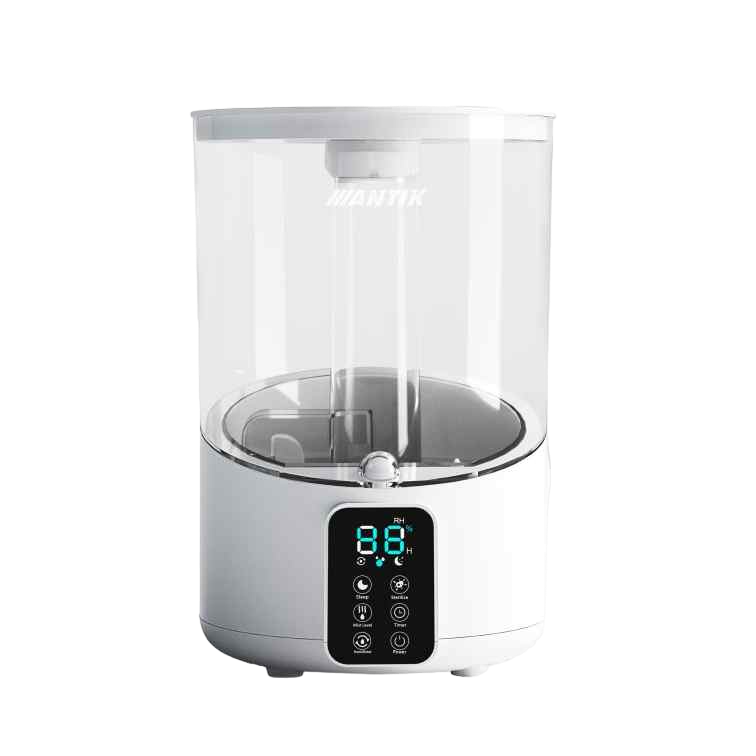
Ultrasonic humidifier ANTIK The Wi-Fi enabled ATK-USH01 purifies and humidifies the air for home comfort. The ANTIK Wi-Fi enabled smart ultrasonic humidifier is the best option for your home: It is quiet, durable and overall easier to handle than any other humidifier. It can handle even larger rooms of 30 m2, while its 4-liter water tank lasts up to 14 hours.
ANTIK Smart Ultrasonic Air Humidifier ATK-USH01:
You can download the instructions in .PDF HERE

Suitable for larger rooms, the 4-liter water tank lasts up to 14 hours
It can handle larger rooms up to 30 m² , and its 4-liter water tank ensures continuous operation for up to 14 hours without needing to be refilled . This means you can leave the humidifier running all night or throughout the working day and it will still maintain optimal performance.
Thanks to the night mode with minimal noise, the humidifier is also ideal for the bedroom, children's room or office - it will ensure a pleasant environment during sleep and work without disturbing noise.
Smart features bring comfort to your home with 3 humidification intensity modes, smart reminders, the ability to set schedules, 360° humidification, warm mist , and night mode.

Thanks to the built-in sensor, it maintains the target humidity throughout the day
The humidifier creates a soothing level of condensation in the room that soothes your skin and helps you breathe easier , without misting the room or leaving small droplets on the walls. Thanks to the top filling, refilling water is quick, clean and convenient - without the risk of spills or unnecessary disassembly of the device.
It has economical consumption, only 25 watts , and quiet operation that does not exceed 35 decibels .

360° even humidification
It uses a rotating outlet head with 360° dispersion , which ensures even humidification of the air throughout the room . The steam is dispersed in all directions, so that moisture reaches even the most distant parts of the room - without creating wet spots on walls or furniture.
Three steam intensity levels (1-3) - adapt the device's performance to current conditions:
- Level 1: gentle humidification suitable for nighttime or smaller rooms.
- Level 2: medium intensity ideal for everyday use.
- Level 3: strong power to quickly increase humidity on dry or heating days.

For more comfortable breathing, prevention of diseases, allergies and asthma
The main advantage is not only that regular use of an air humidifier helps prevent respiratory tract infections , but also that it alleviates the effects of existing health problems such as asthma, allergies, or chronic irritation of the mucous membranes . Optimal air humidity protects the respiratory tract from drying out, reduces the spread of dust and allergens, and promotes faster regeneration of the body.
Humidified air makes breathing easier, improves sleep quality and reduces fatigue , contributing to a healthier environment not only at home , but also in offices or work spaces , where dry air often causes irritation of the eyes, respiratory tract or decreased concentration.

Scene: Motion-triggered activation
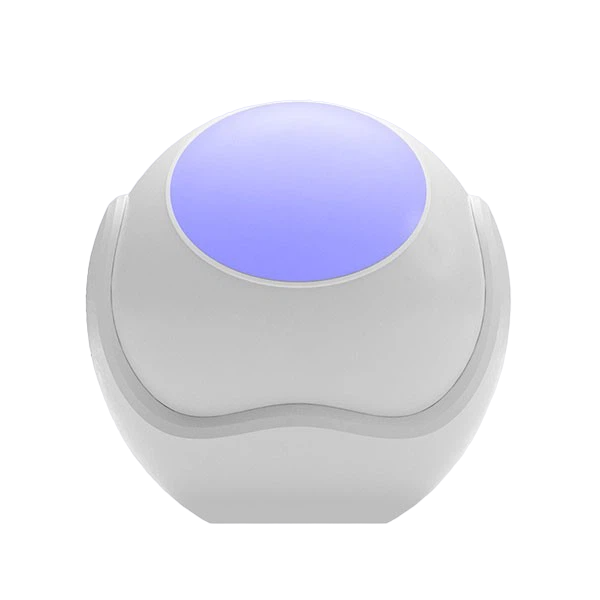
Create an automatic scene "Motion-triggered humidifier activation", which is an effective combination of the ANTIK smart humidifier and the motion sensor. When motion is detected upon entering the room, the humidifier will automatically turn on and ensure a pleasant atmosphere.
For this scene you need:
- ANTIK Smart humidifier
- ANTIK Smart motion sensor
*To use the smart motion sensor, it is necessary to have a Zigbee Gateway purchased and paired in the application.

Scene: Ideal humidity at night
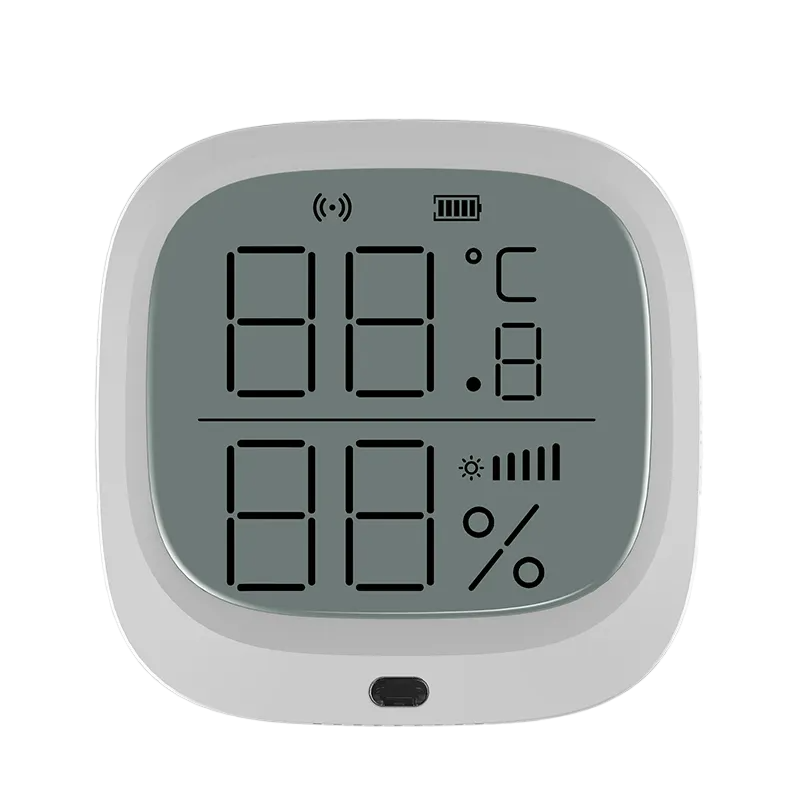
Create an automatic scene "Ideal humidity at night". In this case , the humidifier will automatically start at a specified time of night and when the humidity in the room drops below a certain threshold (e.g. 30%) . This will ensure a pleasant sleeping environment without the unpleasant feeling of dry air.
For this scene you need:
- ANTIK Smart air humidifier
- ANTIK Smart multisensor
*To use the multisensor, it is necessary to have a Zigbee Gateway purchased and paired in the application.

Package contents and technical information
The device features fast Wi-Fi connection , a clear display and intuitive setup via the ANTIK SmartHome® application. Thanks to its easy commissioning, it is also suitable for users without technical experience.
Package contents:
- 1× ANTIK Smart Ultrasonic Air Humidifier ATK-USH01
- 1× Remote control
- 1× User manual
- 1× Quick Guide (QR code for connecting to the ANTIK SmartHome® application)

For more details, watch the accompanying video
Step into the world of Smart technologies with us, where we will introduce smart products from the areas of home, security, comfort, health, camera systems and many other areas. Choose from a variety of smart devices that will reliably secure your home, business, garage or cottage.


Download the ANTIK SmartHome® app
With the ANTIK SmartHome® app, you can easily adjust humidity, temperature and air quality. The humidifier reacts to the environment, operates quietly and creates the ideal climate for healthier breathing and better sleep.
In the app you can:
- Set the ideal target humidity according to your needs.
- Choose the steam level from gentle humidification to intensive mode for drier days.
- Activate additional functions such as sterilization, heating, anions or ozone disinfection for cleaner air.
- Create schedules and scenes, such as "Night mode" or "Morning refresh."


Multi-column
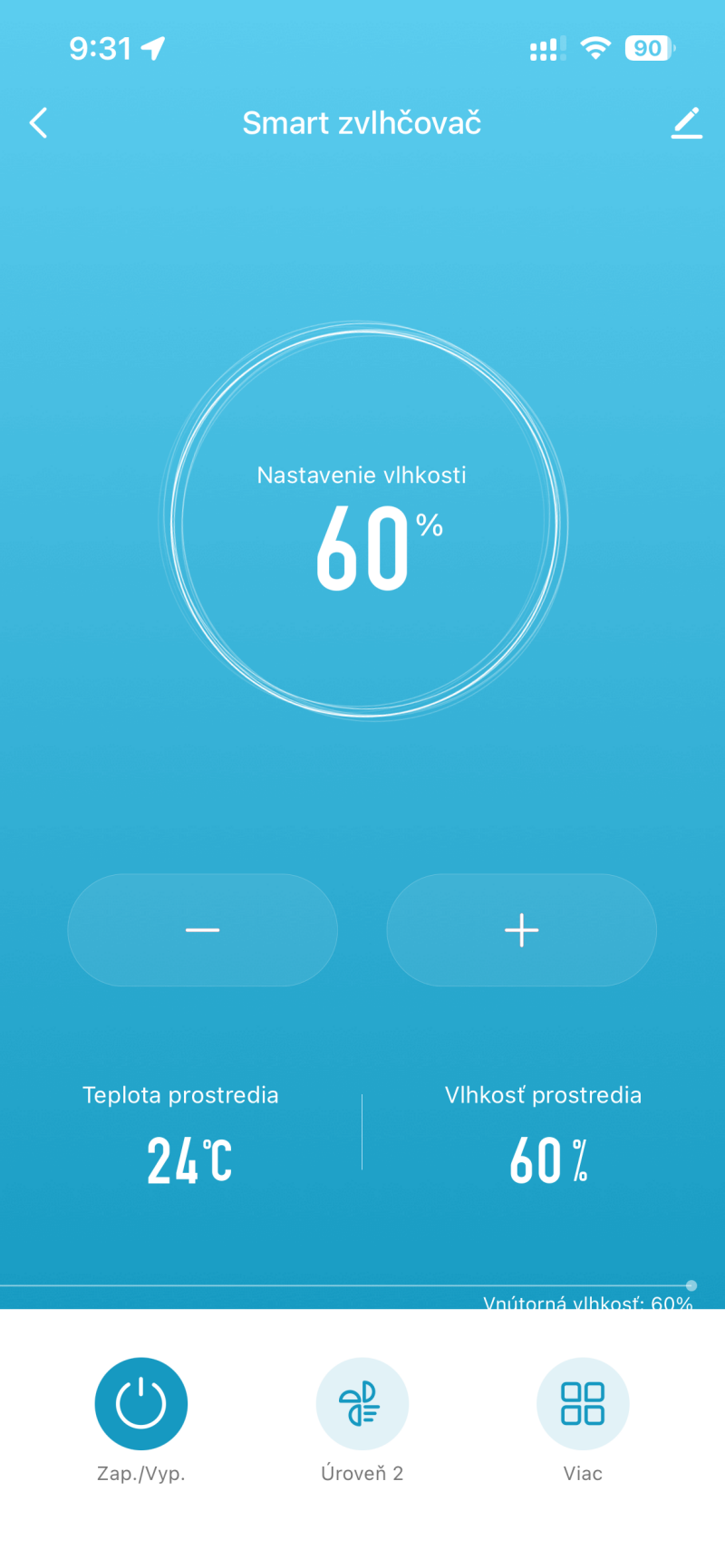
Main screen
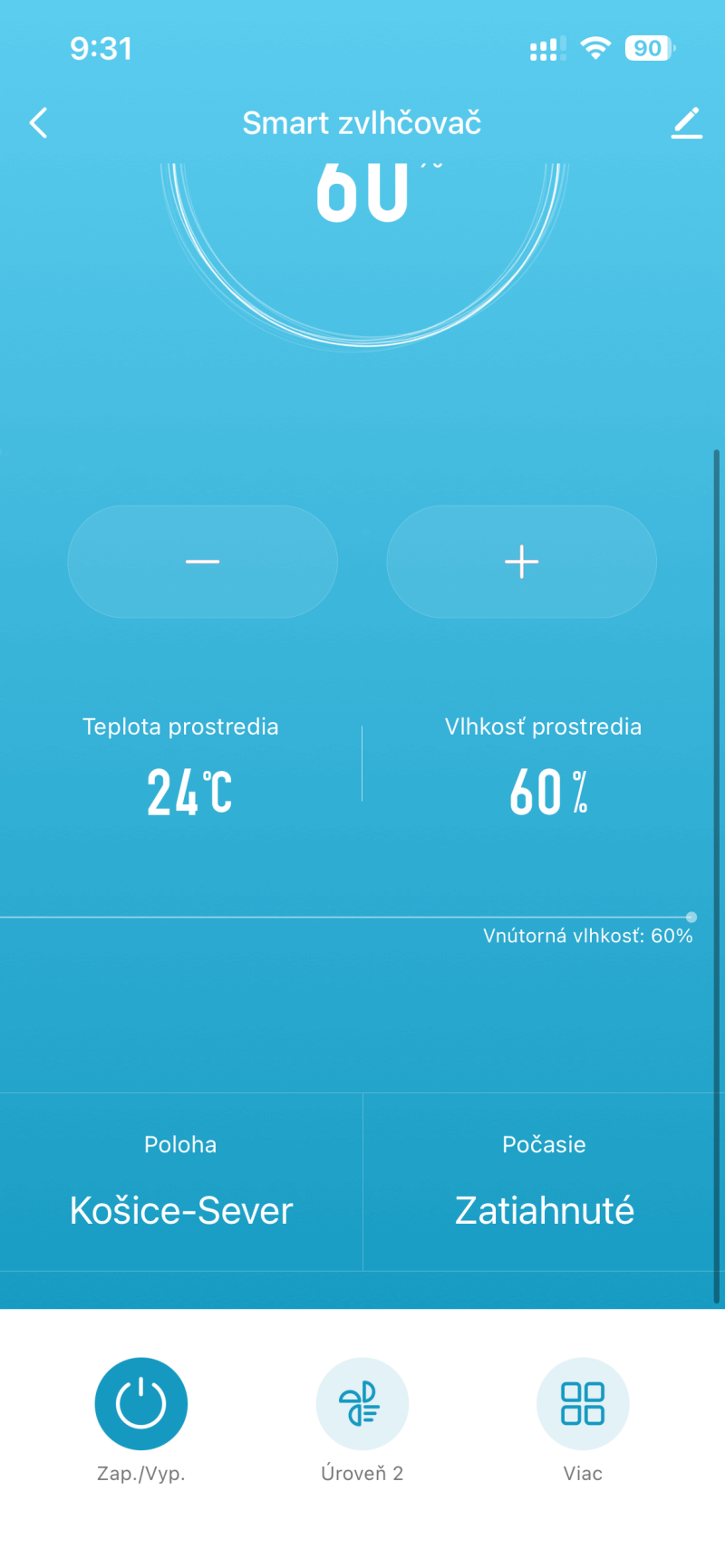
The home screen displays the current device status, temperature, and target humidity level in the room.
- In the middle is the target humidity indicator, for example 60% .
- Using the "–" and "+" buttons, you can easily adjust the desired humidity level.
- The bottom part displays the current temperature (e.g. 24 °C) and ambient humidity (e.g. 60%).
- On/Off, Level, and More controls offer instant access to the device's main functions.
The user always has an overview of the current values and can smoothly adjust the humidification intensity as needed.
Advanced features
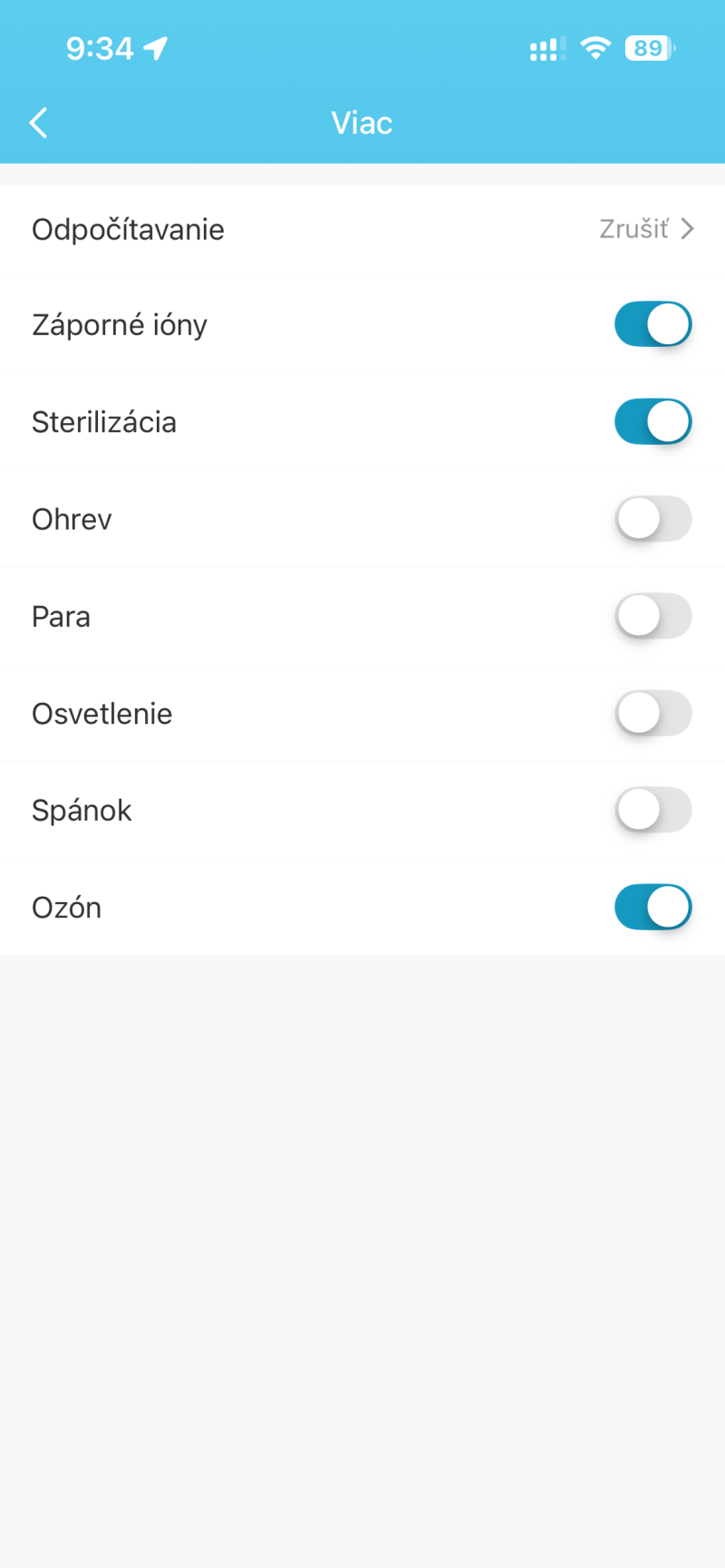
The "More" section allows you to manage advanced modes and smart features of the device.
- It includes switches for negative ions, sterilization, heating, steam, lighting, sleep mode, and ozone.
- Each function has a separate switch with a visual indicator (blue color = on).
- The countdown (timer) is displayed at the top.
- Functions can be combined simultaneously according to user preference or automation.
The section unifies all additional device functions into one clear control space.
Setting the steam intensity
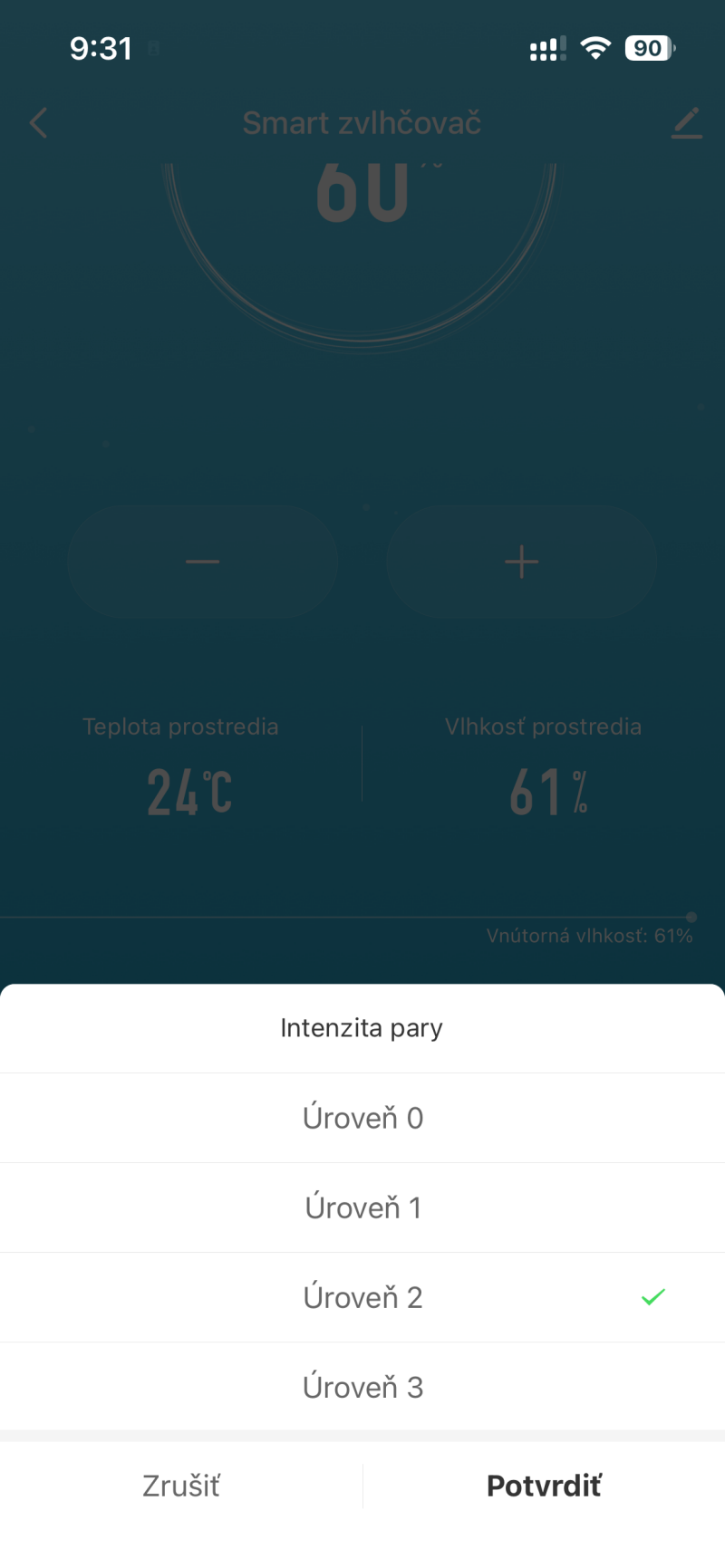
This section is used to adjust the humidifier's performance according to current conditions or personal comfort.
- There are four power levels to choose from: Level 0 - Level 3.
- A higher level means more intensive humidification and greater steam output.
- The current setting is highlighted with a green indicator.
- The change can be confirmed with the "Confirm" button or reverted with "Cancel".
The user can easily adapt the device's performance to the current conditions in the room.
Viewing outdoor conditions
This screen displays current weather and humidity information, which affects the indoor climate.
- Displays real-time weather information (e.g. Cloudy).
- It constantly updates the temperature and humidity indoors and outdoors.
- The target humidity is clearly displayed in the center of the screen.
- The data can be used to fine-tune the humidification performance according to current conditions.
The user has an overview of the environment and can maintain a stable indoor climate throughout the day.
Setting the timer (countdown)
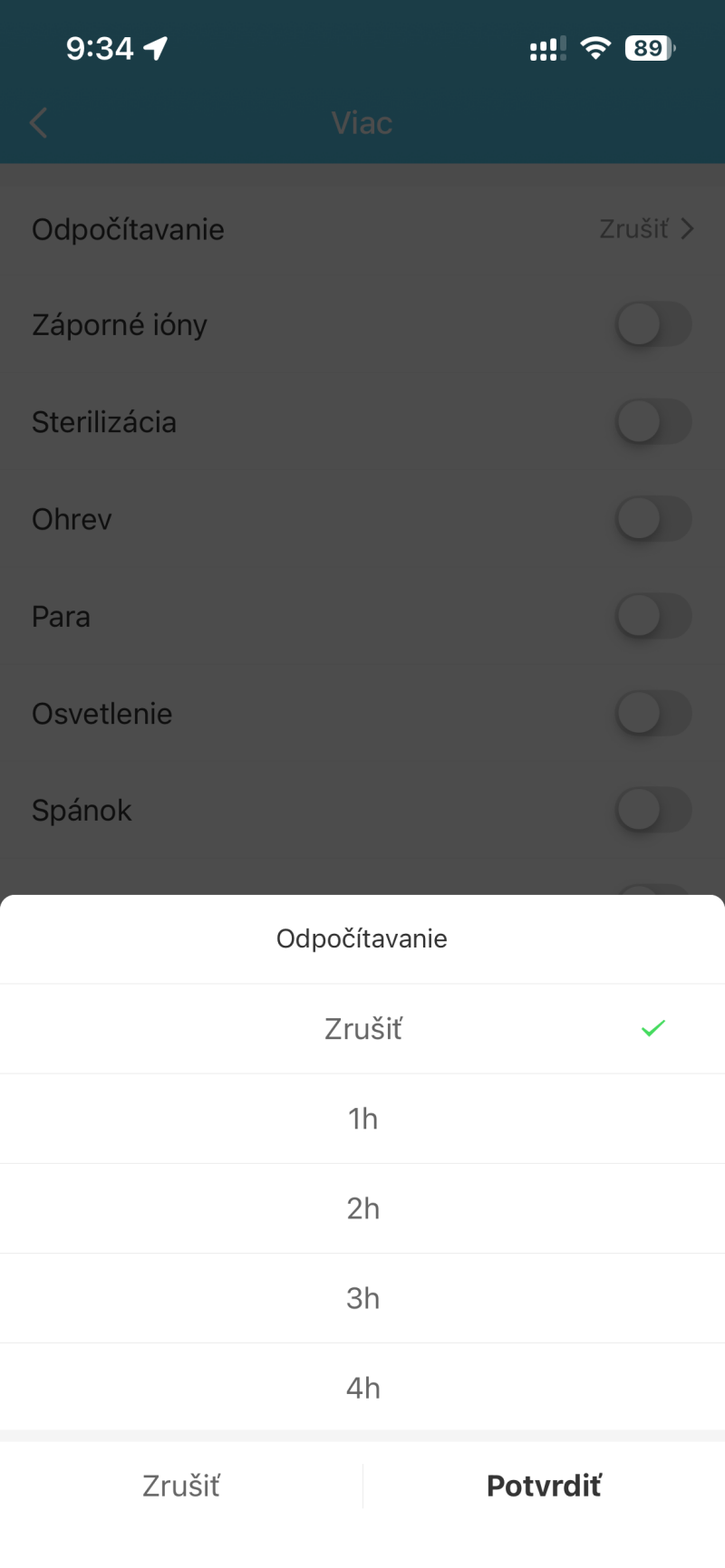
The timer function allows the device to automatically turn off after a selected time.
- You can choose a duration from 1 hour to 12 hours, or use the "Cancel" option.
- The setting is confirmed by pressing the "Confirm" button.
- All available values are displayed clearly in a list.
- The function is often used for night mode or scheduled shutdown.
The user can thus effectively manage operating time and save energy without the need for manual intervention.
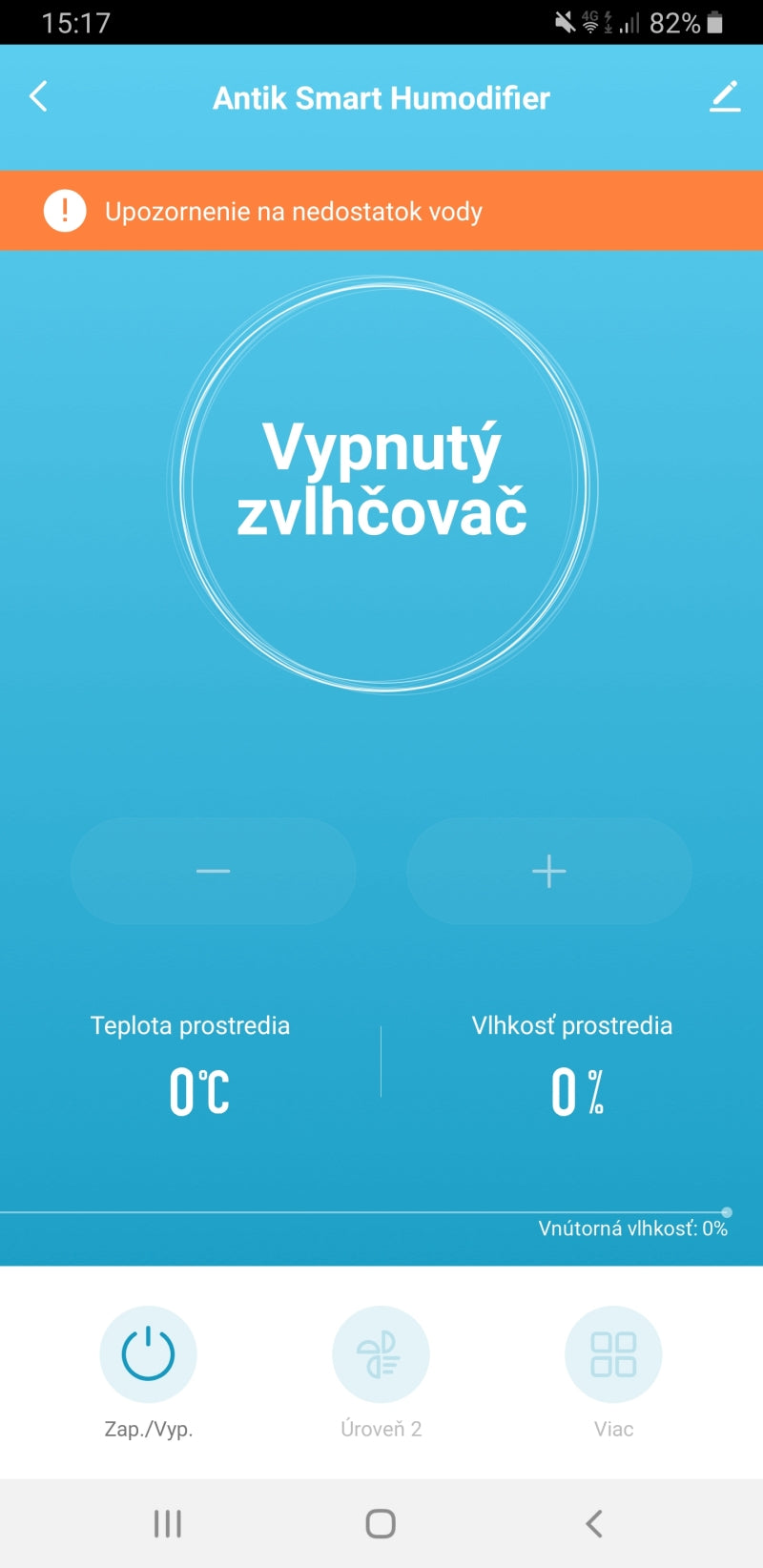
Device notification and control
This section informs about the current status of the device and allows immediate control.
- An orange warning indicates a lack of water in the tank to prevent damage to the device.
- The user is immediately informed of the need to top up water before restarting.
- The status message "Humidifier off" clearly indicates the inactive mode of the device.
- The On/Off button can be used to quickly turn the device on or off as needed.
This overview combines notifications with basic controls to keep the user in control of the device at all times.

Automation and smart scenes
Automation is one of the most powerful features of a smart home. It allows devices to respond automatically based on specific inputs – such as motion, temperature changes, time, or manual instructions.
Its greatest advantage is the ability to connect multiple devices and create intelligent links between them. Thanks to automation, separate devices become a connected ecosystem that works logically and increases the overall comfort, security and efficiency of the home.
1. Manual start
The scene is triggered by manually pressing a button in the app or on the physical switch.
2. When the weather changes
Automation is triggered when external conditions change (e.g. temperature, humidity, wind).
3. Timetable
The scene will start at a specific time or according to a set recurring schedule.
4. When the device status changes *important
Automation is triggered in response to a change in another device – a motion sensor, door, camera, or other device.
📌 Automation parameters available for this product can be found in the table below ↓
Automatizácia pre ANTIK Smart zvlhčovač vzduchu ATK-USH01
Automatizácia vám umožňuje nastaviť pravidlá, podľa ktorých sa zariadenie zapína, vypína alebo mení svoj režim automaticky – v určenom čase, pri konkrétnej udalosti alebo podľa prostredia. Automatizáciu možno nastaviť pomocou nasledujúcich parametrov:
| Parameter | Hodnota | Popis | Príklad v scéne |
|---|---|---|---|
| Spínač | Zapnuté, Vypnuté | Hlavný spínač pre zapnutie/vypnutie celého zariadenia. | Ak Spínač dostane príkaz "Zapnuté", potom sa spustí režim 1. |
| LED (Nočné svetlo) | Zapnuté, Vypnuté | Spínač pre ovládanie nočného LED svetla. | Ak je 22:00, potom Vypnem LED (Nočné svetlo). |
| Aktuálna teplota | Numerická hodnota (°C) | Aktuálna nameraná teplota okolitého prostredia. | Ak Aktuálna teplota prekročí 26 °C, pošlem upozornenie. |
| Nastavenie vlhkosti | Numerická hodnota (%) | Nastavenie cieľovej hodnoty vlhkosti (napr. 50-80 %). | Nastavím Nastavenie vlhkosti na 65 % po prebudení. |
| Aktuálna vlhkosť | Numerická hodnota (%) | Aktuálna nameraná úroveň vlhkosti okolitého prostredia. | Ak Aktuálna vlhkosť klesne pod 45 %, spustím zvlhčovanie. |
| Režim spánku | Zapnuté, Vypnuté | Spínač pre aktiváciu/deaktiváciu režimu spánku ktorý vypne displej. | Ak je Režim spánku "Zapnuté", potom nastavím LED na Vypnuté. |
| Časovač | Zrušiť, 1h, 2h, ... , 12h | Nastavenie časovača (odpočítavanie) pre automatické vypnutie. | Nastavím Časovač na "4h" pre vypnutie po 4 hodinách. |
| Sterilizácia | Zapnuté, Vypnuté | Spínač pre aktiváciu/deaktiváciu funkcie sterilizácie/dezinfekcie. | Zapnem Sterilizáciu pred odchodom z domu. |
| Intenzita pary | Úroveň 0, Úroveň 1, Úroveň 2, Úroveň 3 | Nastavenie intenzity zvlhčovania/výroby hmly. | Ak je Aktuálna vlhkosť pod 40 %, nastavím Úroveň pary na "Úroveň 3". |
| Anion (Záporné ióny) | Zapnuté, Vypnuté | Spínač pre aktiváciu/deaktiváciu funkcie generovania záporných iónov. | Zapnem Anion na 8 hodín denne. |
| Ohrievanie pary | Zapnuté, Vypnuté | Spínač pre aktiváciu/deaktiváciu funkcie ohrevu pary (napr. ohrev vody pre sterilizáciu). | Vypnem Ohrev, keď je Aktuálna teplota nad 24 °C. |
| Ozón (O3) | Zapnuté, Vypnuté | Spínač pre aktiváciu/deaktiváciu funkcie ozónovej sterilizácie. | Vypnem Ozón (O3), ak je detekovaný pohyb v miestnosti. |

Frequently Asked Questions: ANTIK Smart Air Humidifier ATK-USH01
What type of connection does the humidifier use?
The device communicates via Wi-Fi, so you can easily connect it to the ANTIK SmartHome® system and control it via the app, remotely or by voice.
What is the power supply and power consumption?
The humidifier operates on 220 V with a power of 25 W , which guarantees energy-saving and quiet operation, suitable for continuous use during the day or night.
What functions does it offer besides humidification?
The device supports sterilization, heating, negative ion generation, ozone disinfection, LED night light and sleep mode. All functions can be activated individually in the app.
What happens if the water in the tank runs out?
The device will automatically stop operation and display a warning of water shortage to prevent damage. After water is replenished, humidification can be resumed immediately.
Do you have a question about a specific product, its features, technical parameters, or automation options in your home? We are here for you and will be happy to help you choose the right solution or explain the settings.
Write to us at predaj@antik.sk and our team of experts will respond to you as soon as possible. Your satisfaction and the proper functioning of your devices are our priority.